Grocery Cart UI

Designing a tablet-based shopping assistant to reduce friction and decision fatigue in grocery stores

ROLE
UX Designer & Research Lead
TIMELINE
7 weeks (2021)
TOOLS
Figma, Miro, Lean UX, usability testing
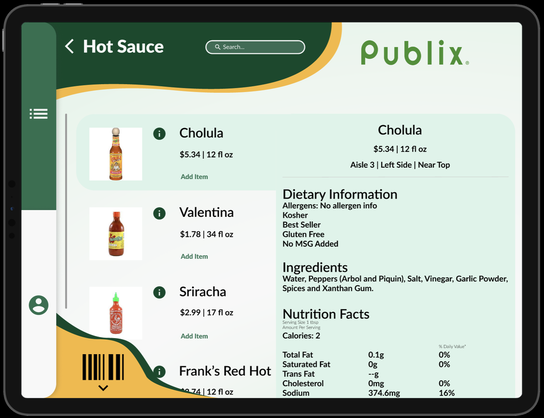
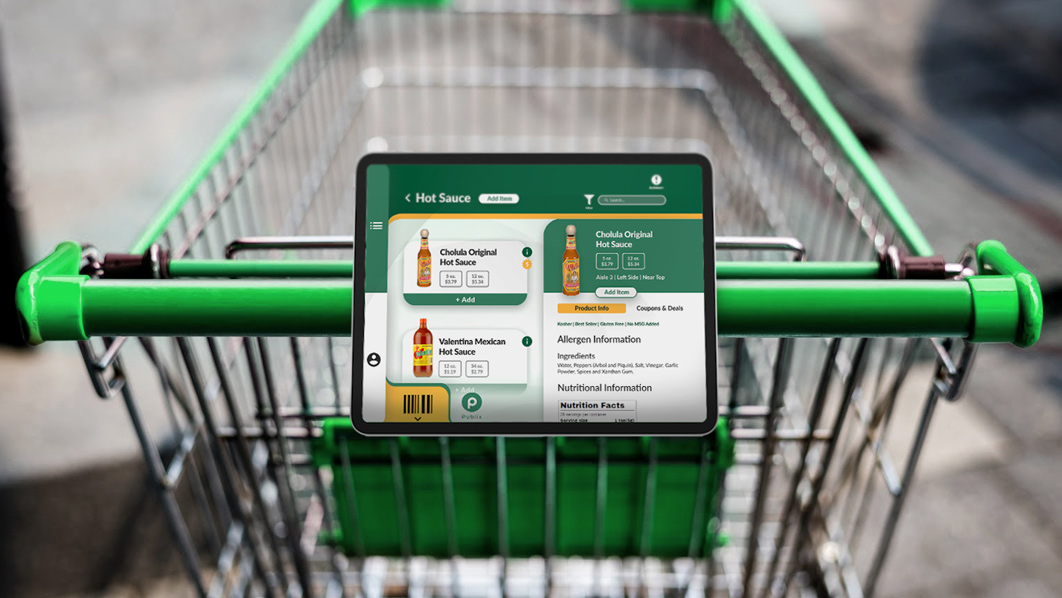
Grocery Cart UI mockup

Overview

Grocery Cart UI was a tablet-based application designed to live directly on grocery carts, helping shoppers navigate stores, manage shopping lists, compare products, and check out more efficiently.

The goal was to reduce the stress, time, and cognitive load associated with in-store grocery shopping while supporting different shopping styles, budgets, and dietary needs.

The Problem

In-store grocery shopping is often:

  • Disorganized and time-consuming
  • Difficult for users on budgets or tight schedules
  • Overwhelming for users with dietary restrictions or memory limitations
  • Lacking digital support once inside the store

Shoppers must juggle lists, prices, product locations, and constraints with little assistance.
The Solution

Grocery Cart UI proposed a cart-mounted tablet experience that:

  • Provides organized, interactive shopping lists
  • Supports product search, comparison, and filtering
  • Tracks spending in real time
  • Helps users navigate the store
  • Adapts to different user needs through profiles and saved data

The system was designed to function as a flexible companion rather than a rigid shopping flow.

Results & Impact

Identified high-value features such as comparison tools and dietary filters

Demonstrated how in-store technology could reduce friction

Created a cohesive end-to-end shopping experience

Validated key workflows through usability testing

Contraints & Consideration

  • Short 7-week academic timeline
  • Limited access to real grocery shoppers
  • Testing conducted in simulated contexts
  • Complex feature set needed to be scoped carefully

These constraints required rapid iteration and prioritization.

Design mockup

Research & Discovery

I led research efforts including:

  • User interviews to understand shopping pain points
  • Usability testing on early wireframes and prototypes
  • Affinity mapping to identify behavioral patterns
  • Exploration of how users budget, search, and make decisions

Research revealed strong needs around organization, speed, and reducing cognitive load.

Key Insights

  • Shoppers want to spend less time searching and more time deciding
  • Budget awareness reduces anxiety during shopping
  • Different users require different levels of guidance
  • Dietary needs and memory challenges significantly impact shopping behavior
  • In-store digital tools should support—not interrupt—the physical experience

Design & Exploration

Design work focused on:

  • Structuring shopping lists as the core experience
  • Designing comparison and filtering tools
  • Supporting both fast and exploratory shopping styles
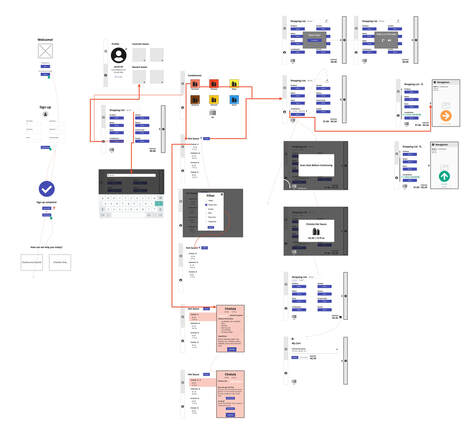
  • Creating flows for account creation, checkout, and saving lists
  • Prototyping interactions that worked on large, mounted screens

Low- and high-fidelity prototypes were iterated based on testing.

Design mockup from Grocery Cart UI

Development Collaboration

This was a design-only academic project, but workflows and components were designed with technical feasibility in mind and aligned across the team through shared prototypes.

Validation & Exploration

Validation included:

  • Two rounds of usability testing across both sprints
  • Think-aloud task completion
  • Pattern analysis via affinity mapping
  • Iteration based on observed confusion and friction

This helped improve navigation, clarity, and feature prioritization.

Reflection

This project strengthened my ability to design for complex, real-world scenarios where users have competing goals, constraints, and distractions. Leading research while designing reinforced the importance of grounding product decisions in observed behavior.

With more time, I would expand testing in real grocery environments to further validate assumptions and refine context-specific interactions.

Thanks for reading!

View more projects See prototype